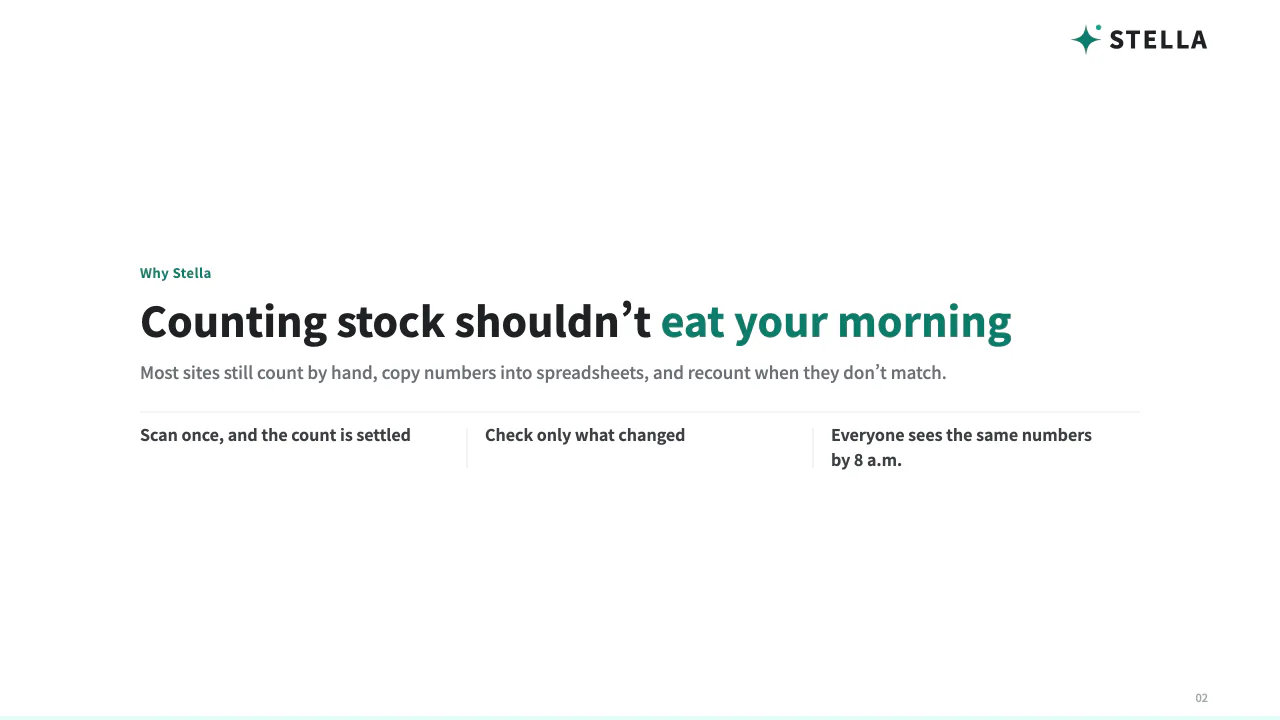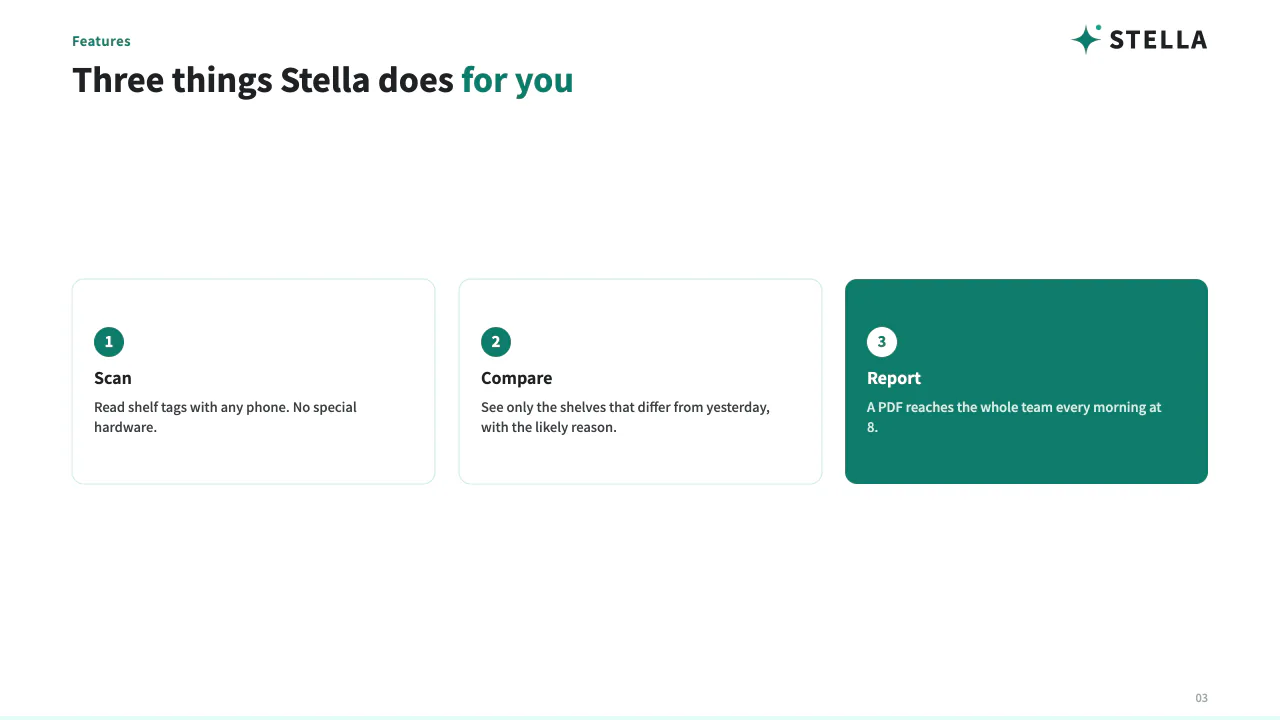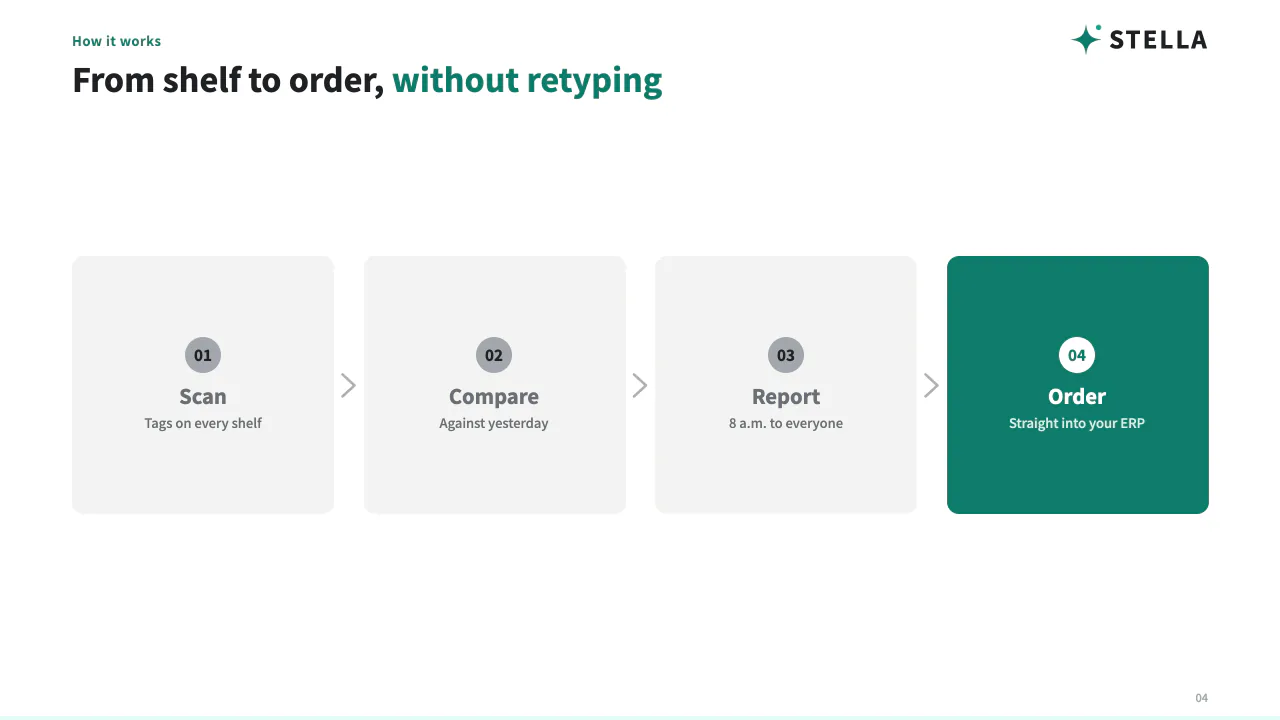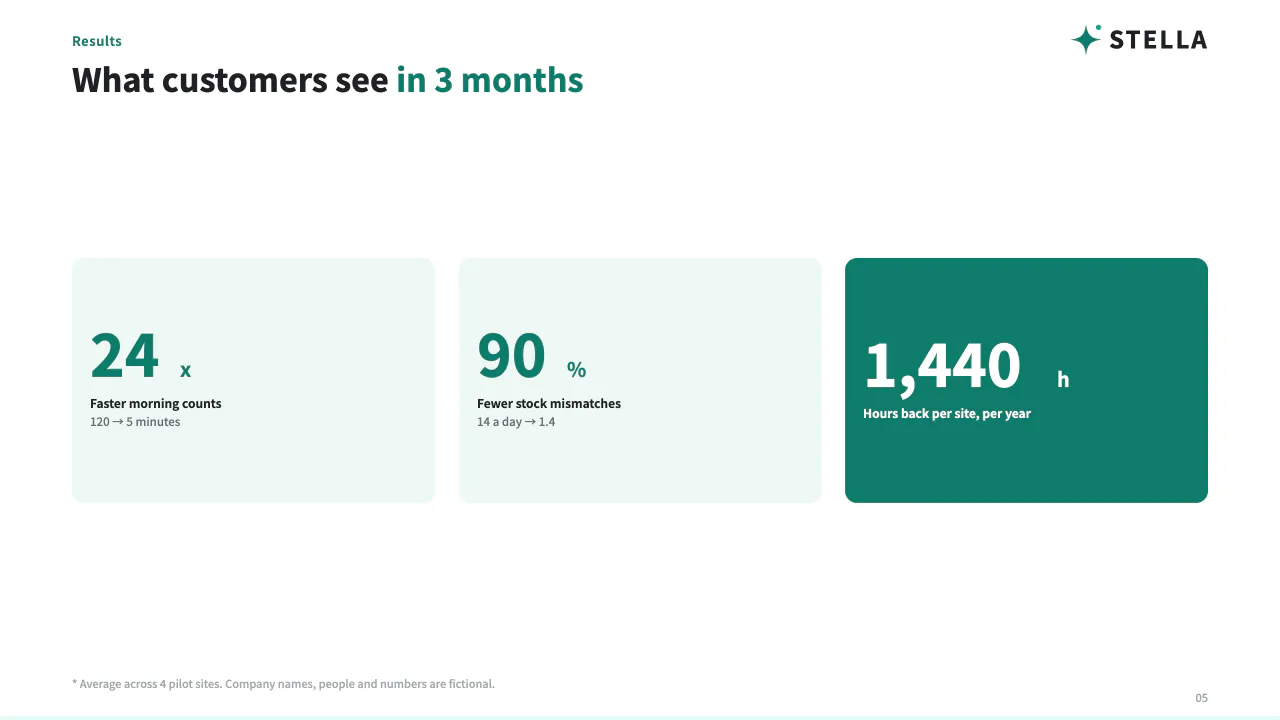

Decks in your company's look, made by your AI agent

Ask your AI.
Get a professionally designed deck.

Your AI drafts it. Fine-tune the details in a few clicks.

Works with your AI agentClaude Code · claude.aiChatGPT · CodexAntigravity · Gemini CLICursor
Next week proposal.pptxHomeInsertDesignTransitionsAnimations
1
2
3
Content: 10 minutes. Formatting: 2 hours.Click to add title
  • Colors, spacing, logo, fonts. It falls apart from person to person.
  • Ask a generic AI and you get "close enough".
  • A deck is only a deck once it looks ready to send.
Click to add text
The reality of deck-making
Content: 10 minutes.
Formatting: 2 hours.

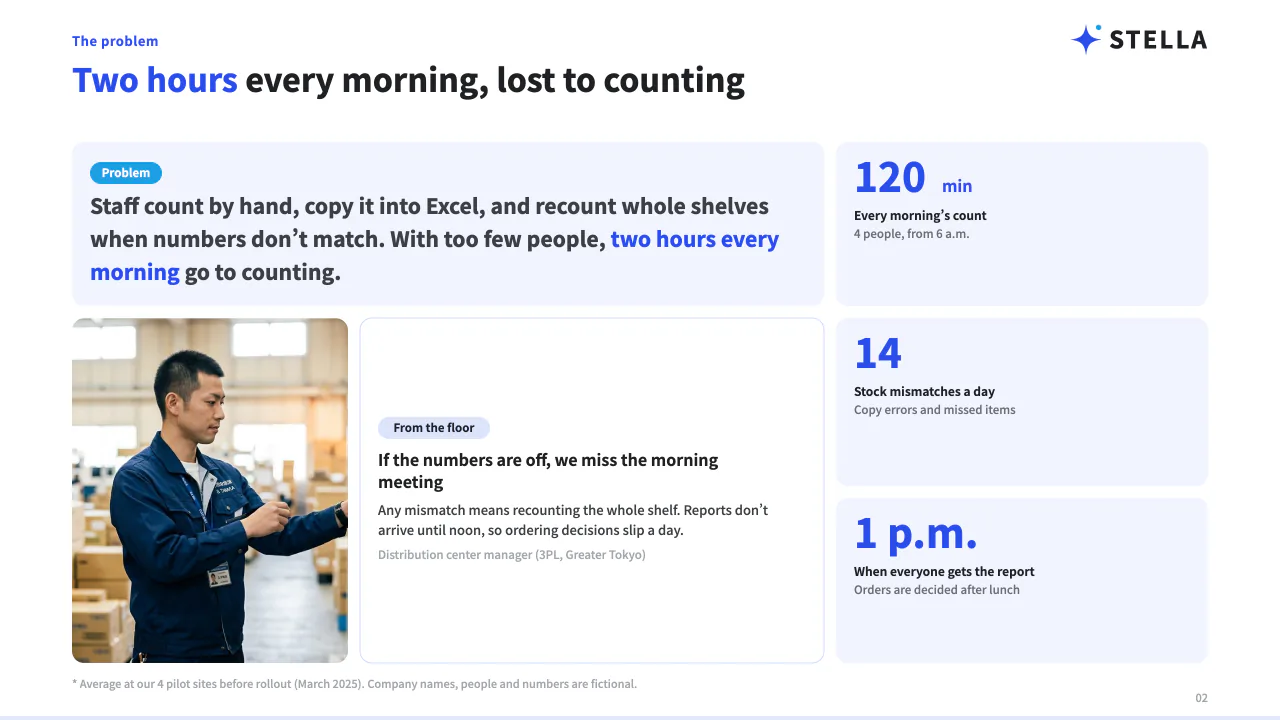
Making it look right takes longer than thinking. Colors, spacing, logo and fonts get redone every single time.

It falls apart from person to personEven with a template, colors and logos drift
Generic AI stops at "close enough"It never reaches a look you can send outside
It becomes a deck only when it looks readyPeople reuse old decks because editing is scary
2hrsTime spent on formattingDeciding the content: 10 min
Sample Co. · Fictional example02
Slide 2 / 2 · Default designAsk the AI
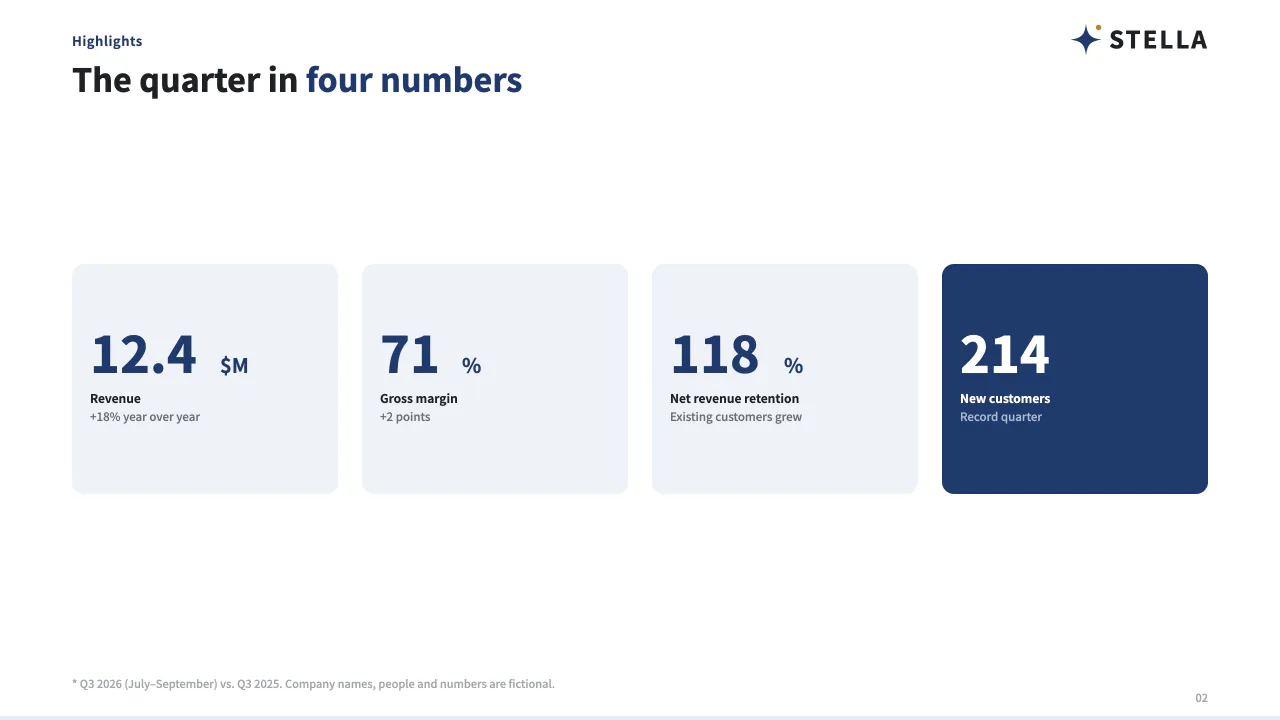
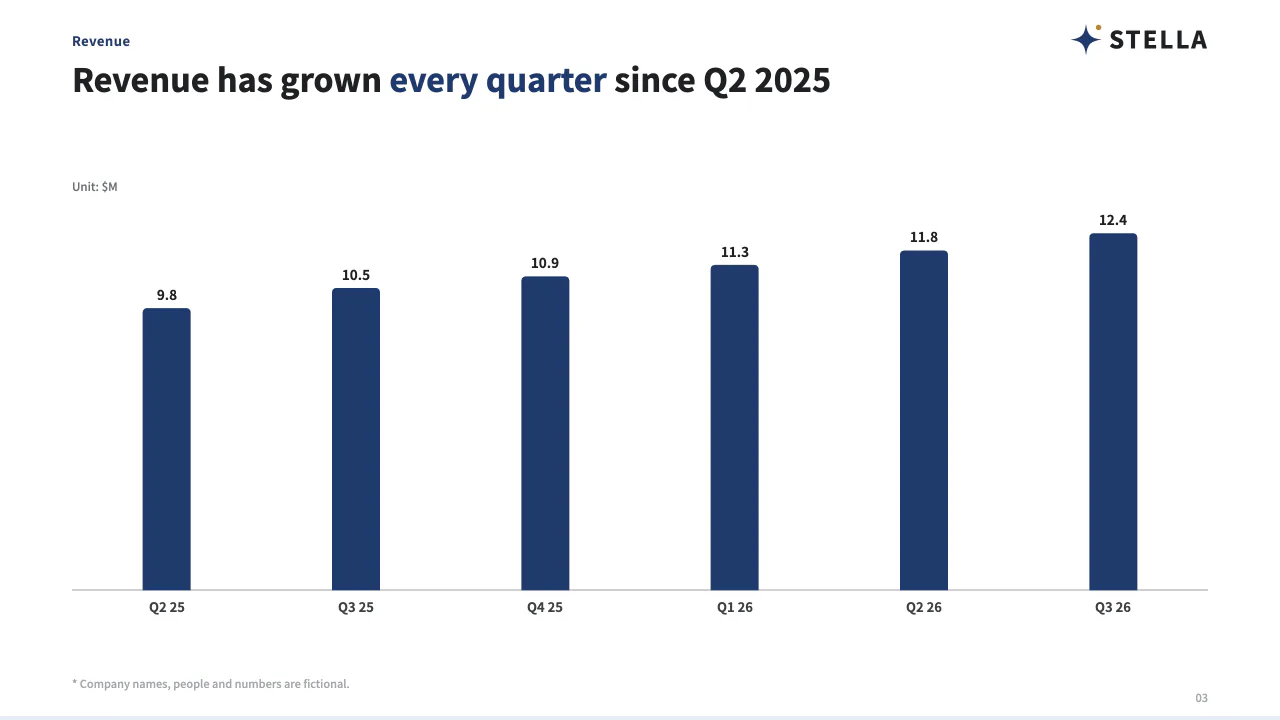
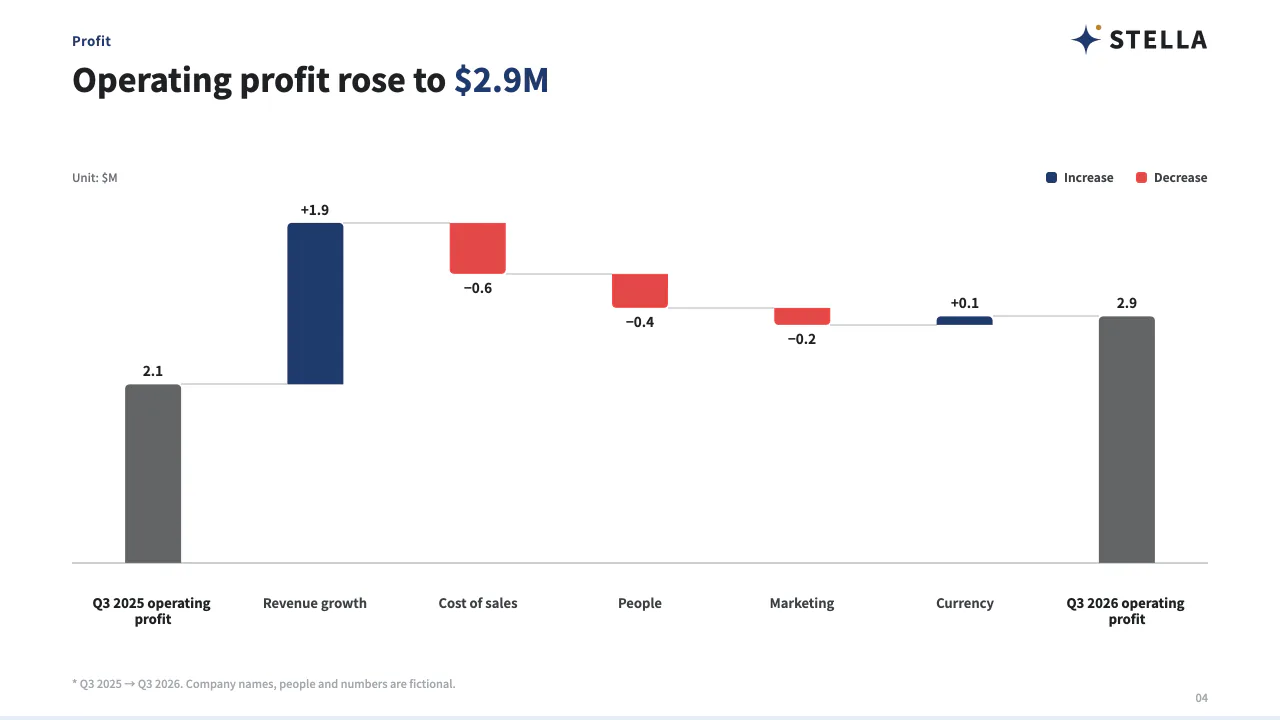
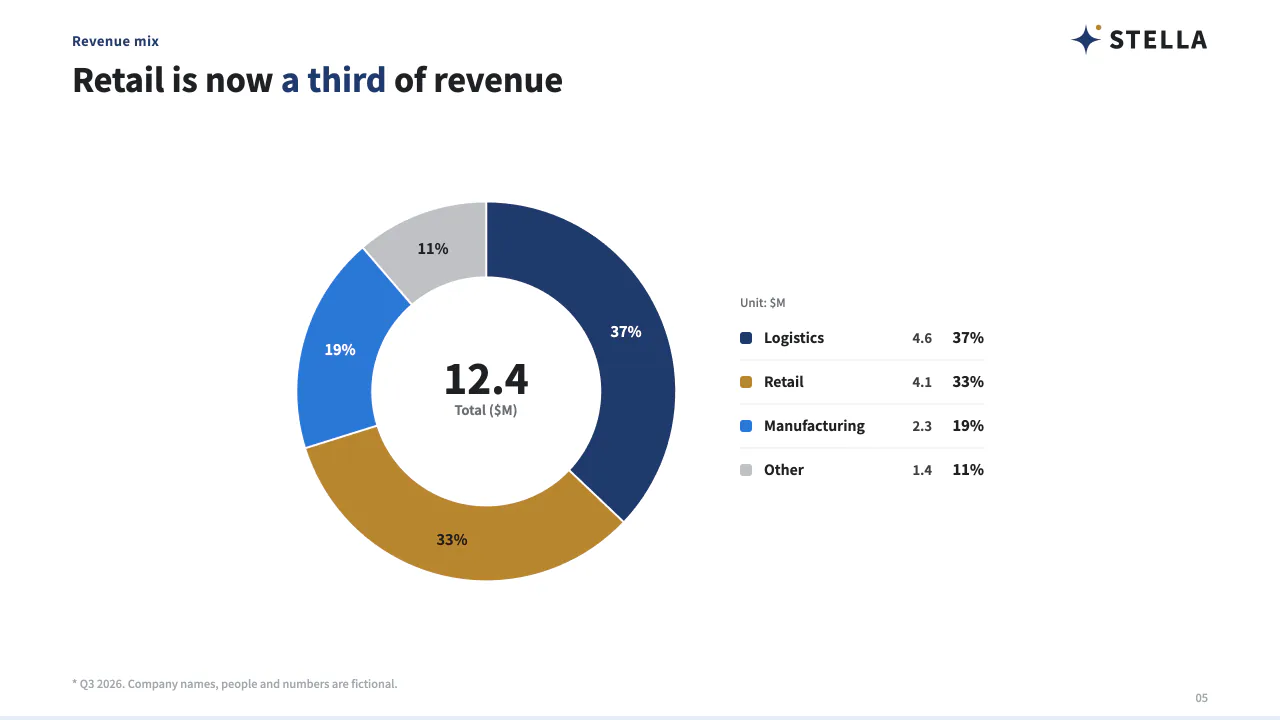
Same content, finished in your company's design. The AI wrote none of the colors or spacing.
8 slides · 5 sec

Deck-making,
handled by your AI.
Ask once, 8 slides in 5 seconds
Just ask Claude, ChatGPT or Gemini. The AI writes the content and structure; we handle colors, spacing and type.
Whoever makes it, it looks like your company
We read colors, fonts and logo from your usual deck, so it comes out the same whoever asks, whichever AI.
Click to edit. In PowerPoint too
Click text to edit, move parts around. Every edit is kept, so you can go back. Edit in PowerPoint too.
What the AI wrote
Problem
Emma · Claude
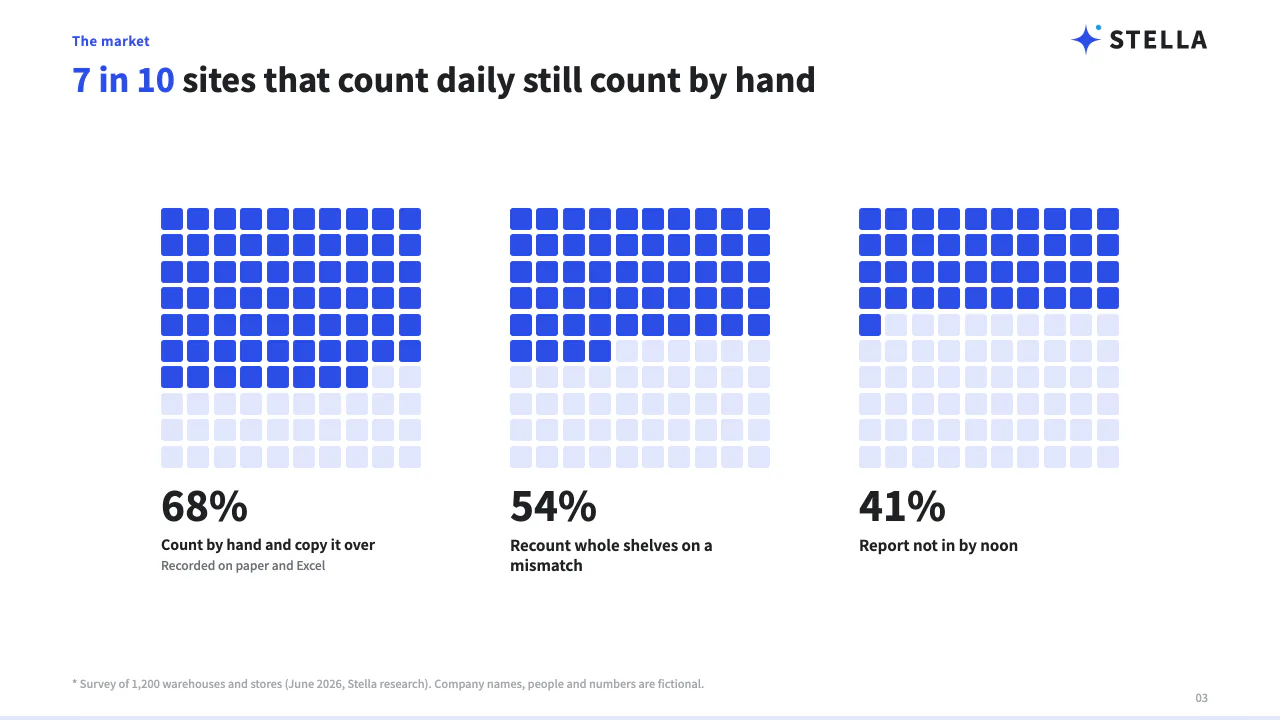
7 in 10 sites still count by hand — 68% copy counts by hand
Pricing
Emma · Claude
Fits inside a ¥300k monthly budget — Quote based on number of sites
Cover
Emma · Claude
Morning stock counts in 5 minutes. — Proposal · September 2026
Steps
Emma · Claude
Live in 2 weeks. Zero burden on site — Prepare → pilot → every site
Numbers
Emma · Claude
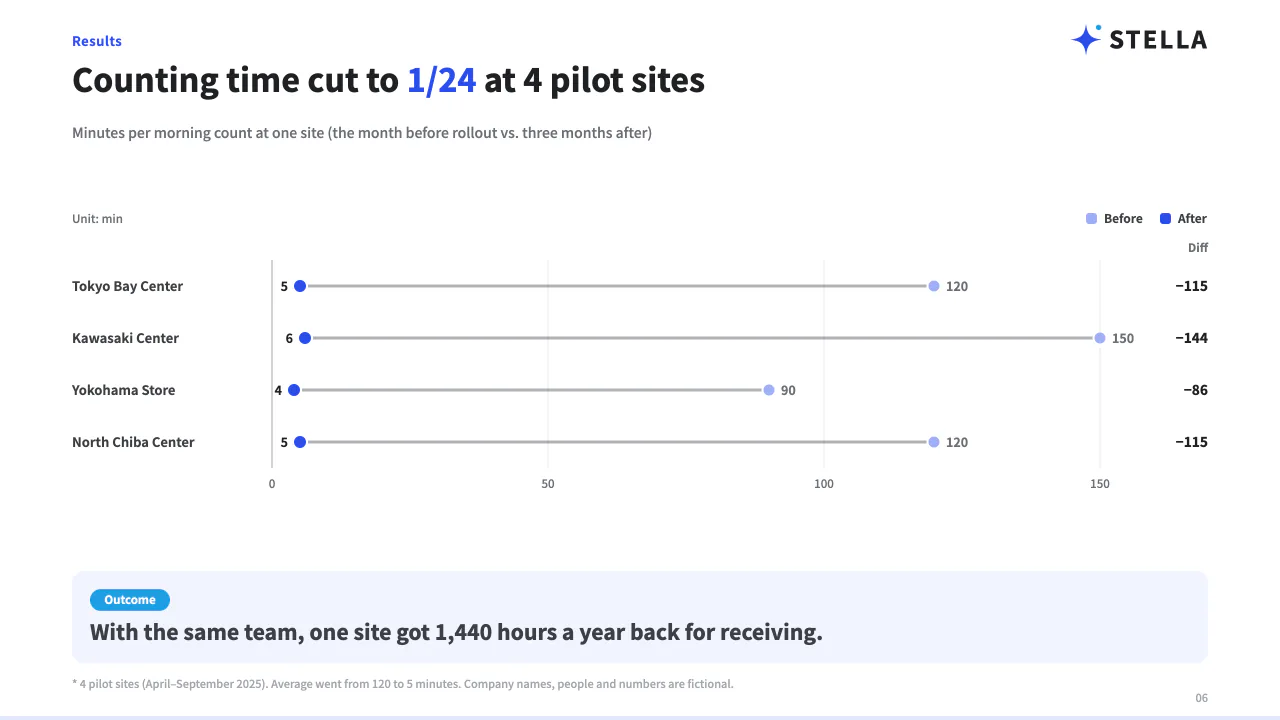
Counting drops from 2 hours to 5 minutes — Per site · 40 hours a month
Proposal
Emma · Claude
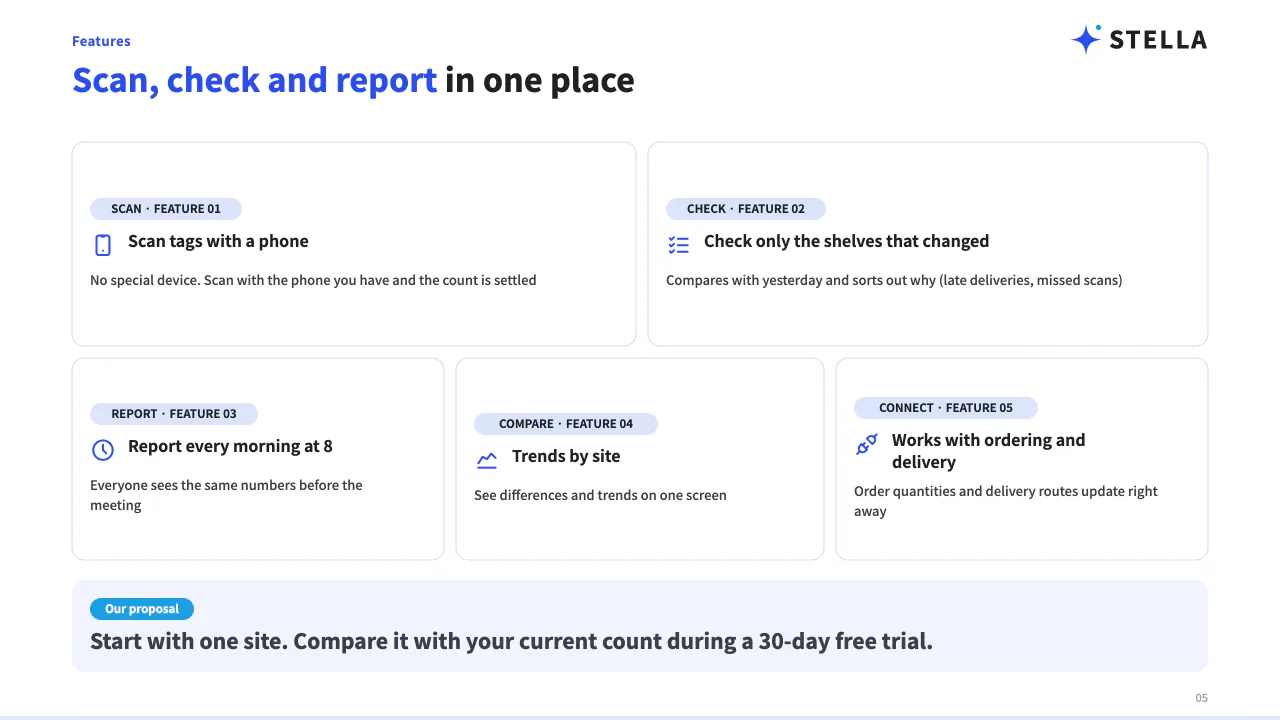
Snap the shelf, and inventory lines up — Three steps to get started
Fictional example: company names and figures are invented
Usual proposal.pptx→ ReadNoto Sans JPLogo
Emmaasked Claude
Same brand kit
Liamasked ChatGPT
Same brand kit
Noahasked Gemini
Same brand kit

Three people, three AIs, one set of colors, spacing and type.

Fictional example: company names and figures are invented
Minato Logistics Proposal · v2 · Emma edited slide 3ELAIExport
LayoutColorsFigureTableTextCommentsSlideshow
1
2
3
4
Text colorFillSizeForwardBackDuplicateDelete
Click to select, drag to resize, edit text in placeOpens in PowerPoint as shapes and textEvery edit is kept, so you can go back
How it works

Paste this one line into your AI.

It even walks you through connecting.

ClaudeChatGPTGemini
ClaudeChatGPTGemini
Done. Click any text on screen to edit it
Start free
Works with your AI agent

Proposals, overviews,
all in your company's look.

ProposalOverviewReview

One brand kit, the same finish every time.
Different decks, same face of the company.

ProposalOverviewReview
Overview
From your records

From your internal records, straight to a deck.

No blank page. Your AI reads deal notes and past decks and builds from them.

Connecting to Salesforce and Notion is a feature of your AI's connectors (Claude, ChatGPT and others).

Salesforce · OpportunityExample
AccountMinato Logistics Co.
StageProposal
IssueMonth-end stocktaking takes 2 people half a day
BudgetUp to ¥300,000 / month
Notion · Sales materialsExample
Case studies (4 logistics companies)
Pricing 2026
Company overview
Your AI
Reads them, then writes the text and structure
The issue from the deal, plus case studies and pricing from your sales materials, turned into a proposal
AI usage and price

You pay your AI for the words only.

Colors and spacing are never asked of the AI, so its usage stays low. And you get more slides a month than similarly priced tools.

What the AI writes
Only text and structure
{ "layout": "cards",
"title": "**3 things** happening on the floor",
"items": [
{ "title": "Half a day on stocktaking" },
{ "title": "Copying errors" },
{ "title": "Stockouts go unnoticed" } ] }
What Narrative handles
No AI involved. The same quality every time
ColorsSpacingTypesettingLine breaksChart scalesLogo
Slides you can make per monthPersonal plans at a similar price
Narrative
0 slides
Service A
0 slides
Service B
60–0 slides
Values taken from each service's official pricing page on September 11, 2026 (AI slide services available in Japan). Narrative and Service A: monthly billing, tax included. Service B: monthly price when billed yearly. Service B uses credits, so the number of slides depends on how many images you use (an estimate based on measured credits per deck). Prices may change. Monthly prices and the full comparison are on the pricing page →

Every deck you make
becomes a company asset.

A proposal one person made, anyone on the team can reuse for the next one. Edits are recorded too, so the decks that worked pile up in the company.

Make the next one from a colleague's deck →
This month's proposal · who changed what
v1EmmaMade from last month's proposal
v2EmmaEdited the cover headline
v3LiamFixed the numbers on slide 3
Everyone's decks in one place. Anyone can open them, anyone can build on them
0
EEmma· Claude
0
LLiam· ChatGPT
0
NNoah· Gemini
0
MMia· Cursor
Fictional example: names and figures are invented

After it's made, keep working where you always do.

FileHomeInsertDesign
Noto Sans JP▾24▾BIU
Tables stay tablesCharts stay chartsText stays text
Edit it in PowerPoint, as is
We never flatten slides into images. Tables stay tables, charts stay charts, text stays text. Anyone who opens it can edit it as usual.
Liam 2 min ago
Can we add a source for the number on slide 3?
Emma just now
Added. It is version 3 now.
Talk right on the slide. One link for people outside
Pin a comment on the slide and talk right there. People without an account get a share link with the slides and PDF only.
3 / 812:40
Pause on "1.4× year over year". Next: where the investment goes.
Present as is. Your notes stay with you
Press play and present right there. Your notes, the next slide and the elapsed time stay on your side.
Privacy & security

Your decks are never used
to train AI models.

There is no AI inside Narrative. We never send your decks to AI providers, and never use them for training.

  • Never used to train AI models
  • Encrypted in transit and at rest (TLS, AES-256)
  • Stored in data centers in Tokyo
  • Only people you share with can open a deck
We plan to obtain ISMS (ISO/IEC 27001) certification.
Read the privacy policy

Content you give to your own AI (Claude, ChatGPT and others) is handled under each provider's settings.

Pricing

Pay for what you make. Viewing is free.

We only count the slides you make.

Free
¥0
  • Up to 30 slides per person (deleting frees them up)
  • Import your own design
  • Export to PDF and PowerPoint
  • Connect any number of AIs
Sign up free
ProRecommended
¥0/ person / month (incl. tax)
Yearly ¥19,800 (2 months free)
  • Up to 300 slides per person per month
  • Viewers are free, any number
  • Records of who made how many slides (CSV)
  • Pay by card
ELNM+12Viewers are free, any number
Sign up free
Business
¥0/ person / month (incl. tax)
Yearly ¥49,800 (2 months free)
  • Up to 1,000 slides per person per month
  • Everything in Pro
  • Pay by card
Sign up free
Enterprise
Contact us
  • Limits and quotes based on team size
  • Help with initial setup
  • Pay by invoice · annual contract
Contact us

* Prices are in Japanese yen and include Japanese consumption tax (Enterprise quotes exclude tax). Slide limits are per person and pooled across your organization. Reaching a limit never adds charges — only making new slides stops.

Questions

FAQ

Not here? Check the guide.

Read the guide

Narrative lets you create and edit decks in your company's design from AI such as Claude and ChatGPT. Export to PDF and PowerPoint, and keep every version, change and author with your team.

Just a Google account or an email address. There is no password.

The number of people who make decks, and the slides they newly make or add. Editing, exporting and viewing are not counted, and neither are viewers or the number of AIs you connect.

Only making new slides stops; editing, exporting and viewing keep working. You are never charged extra automatically.

We only receive the deck's content and structure. There is no feature that saves whole conversations or prompts.

What gets shared is the output, not the conversation. Your team opens the organization's decks in one list, follows versions, changes and authors, and builds the next deck on them.

No. The same content and structure with the same brand kit always gives the same result.

We read the colors from a PDF you already have. For PowerPoint, export it to PDF first. Available from the free plan.

Regular text, basic shapes and tables are editable. Hand-drawn SVG is converted into text and shapes where possible, but photos, backgrounds and some complex effects become images. Edits made in PowerPoint do not flow back into your organization's versions.

Yes. You can connect claude.ai, ChatGPT, Codex, Antigravity and Cursor. See the guide for how.

You can separate this by role. "Admin" and "Editor" can make and edit; "Viewer" can only view.

MCP is a standard for connecting your AI to outside tools. Through it, your AI can make and edit decks with Narrative.

In Tokyo, Japan. Decks are delivered through URLs that only signed-in members can open. Connection keys never leave your organization.

Make yourfirst decktoday.

Signing up is free. Paste one line into your AI and you are ready to go.

ClaudeChatGPTGemini